For the bin of loose bricks
What can I build with my bricks?
Snap a photo of your pile of loose bricks. Pic2Bricks counts them by color and size, suggests things you can build, and designs one using only the bricks you have. Nothing to buy.
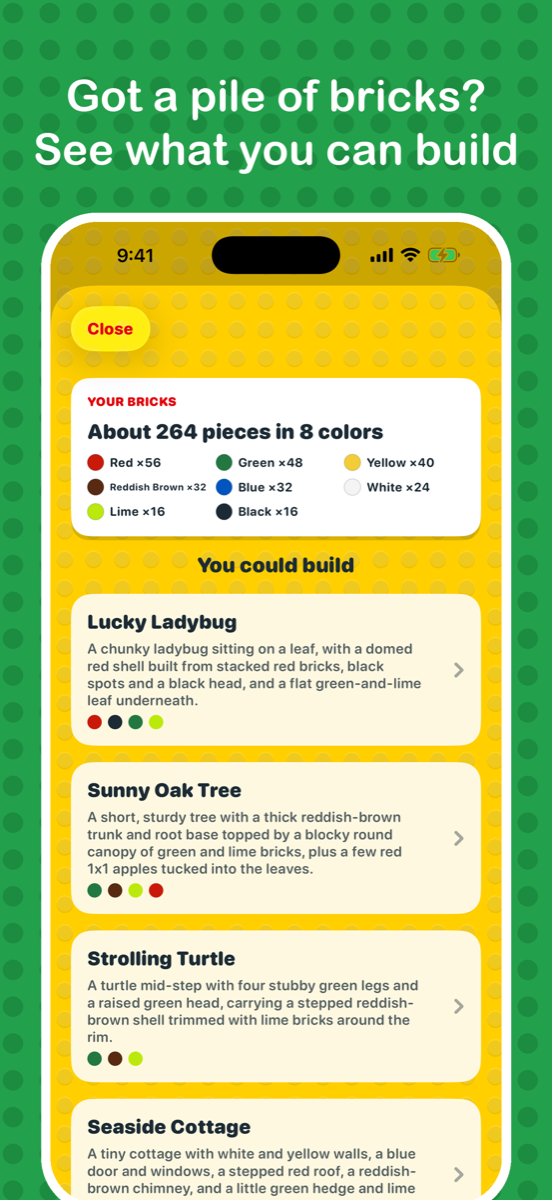
- Counts your bricks. Spread them out and take a photo (or up to three for a big pile). You get the count by color in about half a minute.
- Ideas that fit your colors. Lots of green and brown? A tree or a turtle. Red and black? A ladybug or a race car. Four ideas, simple to ambitious.
- Only your bricks. Every design is built from what is in your pile and sized to fit it, with a full parts list and step-by-step instructions you can print.
- Want it bigger? Turn off "Only use my bricks" and the parts list shows just the few pieces to add, ready to order on BrickLink.
Questions
Is there an app that tells you what to build with your LEGO® bricks?
Yes, two kinds. Brickit scans a pile, recognizes individual parts and suggests builds from its library of instructions. Pic2Bricks counts your bricks by color and size and designs a new model from only what you have, sized to your pile. Pic2Bricks is iPhone only and is independent of the LEGO Group.
What can I build with my loose LEGO bricks?
Take a photo of your pile with Pic2Bricks. It counts the bricks by color and size, suggests four builds that fit your colors (for example a tree, a turtle or a little house), and designs the one you pick using only the bricks you have, with step-by-step instructions.
How many bricks do I need?
About 30 is enough for a small build. A typical bin of a few hundred bricks makes builds of roughly 80 to 150 pieces. The app sizes each build to fit what you own.
Do I have to buy any bricks?
No. "Only use my bricks" is on by default, so nothing is needed beyond your pile. Turn it off for a bigger build, and the parts list shows just the few extra pieces to add.
Do I have to sort my bricks first?
No sorting by color or size. Spread them in a single layer on a plain surface so pieces do not overlap. For a big pile, take up to three photos.
Does it work with old, mixed-up bricks?
Yes. That is what it is for: the leftover bricks from old sets. Spread them out in one layer in good light; for a big pile, add up to three photos.
Is it free?
Counting your bricks and seeing ideas is free. Your first 2 builds are free, then $4.99 for 5 or $9.99 for 15. No subscription.